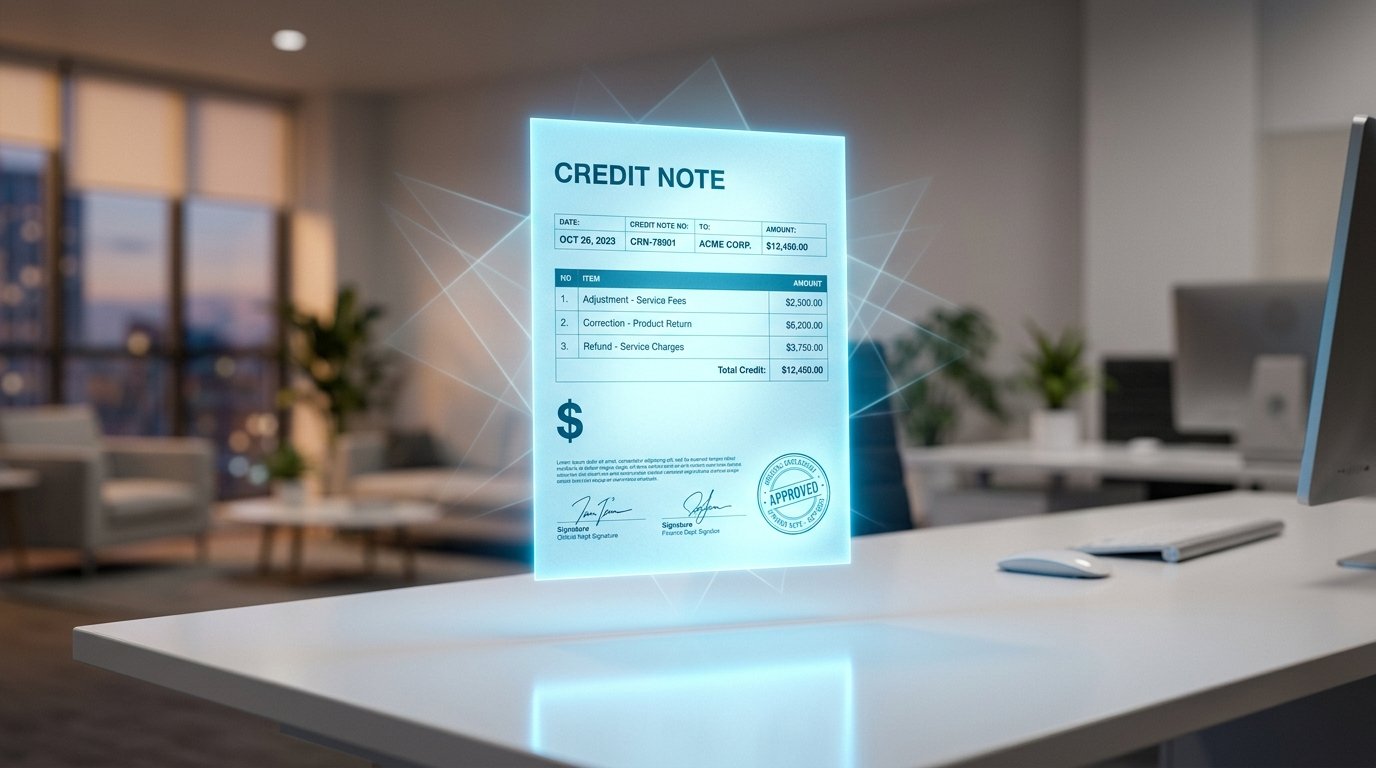
Credit Note Generator Review 2026 – Free, Fast & No Sign-Up
Credit Note Generator by Scree Tools — Full 2026 Review
A thorough, honest look at this free, no-account credit note generator — what it does, who it suits, and where you might need something more capable.
Try the Tool Free →
Billing mistakes happen. Clients return goods. Overpayments occur. In each of these situations, a business needs a formal document that adjusts the outstanding balance on a prior invoice — and that document is a credit note. Without one, your accounts receivable records become difficult to reconcile, your customers have no formal acknowledgement of the adjustment, and your tax compliance becomes murkier than it needs to be.
Scree Tools offers a free, browser-based credit note generator that handles this in minutes — no software installation, no subscription, no account. This review covers what the tool actually includes, how it performs in practice, who will get the most from it, and where its limits lie.
Is This Credit Note Generator Worth Using?
📌 Key Takeaways
- 100% free — no subscription, no watermark, no account required
- Runs entirely in-browser; nothing to install or configure
- Supports PKR, INR, USD, GBP, and EUR currencies
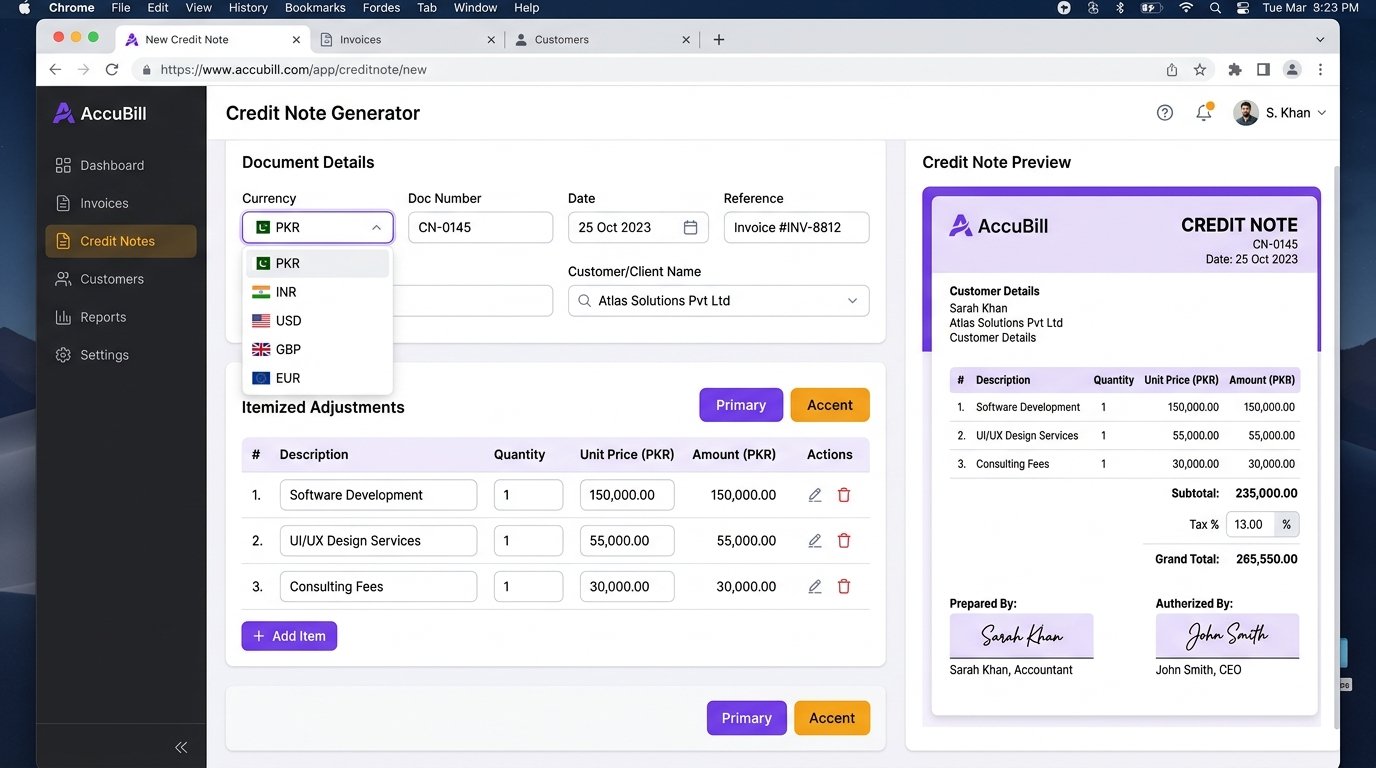
- Fields for Doc Number, Date, Reference (original invoice), Customer/Client, line items, Tax %, and dual authorization signatures
- Export via TXT download or Print/PDF through the browser print dialog
- Part of Scree Tools' 40+ free business document suite alongside Invoice, Receipt, Quotation, and Purchase Order generators
- No cloud save, document history, or logo upload confirmed on the official site
- Best suited for occasional credit adjustments — not high-volume accounts receivable workflows
What Is the Scree Tools Credit Note Generator?
A credit note (also called a credit memo) is a commercial document issued by a seller to a buyer that reduces the amount owed on a prior invoice. Businesses use them for product returns, billing corrections, goodwill adjustments, overpayment reversals, and cancelled orders. Once a credit note is issued, it either offsets a future invoice or forms the basis for a cash refund.
Having a properly formatted credit note matters beyond simple courtesy. It affects accounts receivable records, VAT and GST claims, and the audit trail that accountants or tax authorities may review. An informal "we'll knock it off your next order" message is not a substitute for a documented credit note in any formal accounting system.
The Scree Tools Credit Note Generator, available at screewhite.shop/tools/credit-note-generator, is a browser-based form that produces a formatted, printable credit note with no setup, no payment, and no account creation required. It sits alongside the Invoice Generator, Receipt Generator, Quotation Maker, Purchase Order Generator, and Delivery Challan Generator — forming a free end-to-end business document suite.

Key Features of the Credit Note Generator
Based on direct review of the official tool page, here is what the generator includes:
Multi-Currency Support
Switch between PKR, INR, USD, GBP, and EUR before entering any amounts. The currency symbol updates throughout the entire document automatically.
Itemized Line Items
Add multiple credit entries via the "+ Add Item" button. Each row takes a description, quantity, and unit price, with the row amount and subtotal calculated in real time.
Automatic Tax Calculation
Enter any tax percentage — GST, VAT, or local tax — and the tool computes the tax amount and grand total instantly. Essential when the original invoice included tax.
Doc Number, Date & Reference
Three dedicated fields let you assign a unique document number, set the issue date, and enter the original invoice reference — the most important link in any credit note.
Customer / Client Field
A dedicated field for the customer or client name keeps the credit note clearly addressed and reduces ambiguity in accounts receivable records.
Dual Authorization Signatures
Separate "Prepared By" (with Signature & Stamp) and "Authorized By" (with Signature & Date) blocks add the internal control layer expected in formal accounting documents.
TXT & PDF Export
Download a plain-text copy or use Print/PDF to save a formatted version through your browser's native print dialog. No account or premium plan needed for either.
Linked Business Document Suite
Directly connected to Invoice, Receipt, Quotation, Purchase Order, and Delivery Challan tools — supporting the full document cycle from sale to credit.
Benefits of Using the Credit Note Generator
- Zero cost, zero friction. Open the page and start immediately — no trial period, no credit card, no onboarding wizard.
- Cleaner accounts receivable. A formal credit note keeps your AR records accurate and makes month-end reconciliation straightforward.
- Tax compliance support. When the original invoice included GST or VAT, a matching credit note with the same tax rate is often required by tax authorities. The tool's Tax % field handles this calculation automatically.
- Professional client communication. A formatted credit note signals to your client that you run a proper operation — far more credible than an informal message or email adjustment.
- Pairs naturally with the invoice suite. Generate an invoice, then issue a matching credit note for any adjustments — all from the same free platform.
- Multi-currency ready. Useful for businesses billing international clients, with support for USD, GBP, and EUR alongside PKR and INR.
How to Use the Credit Note Generator
From opening the page to an exportable credit note typically takes three to five minutes:
- Open the tool Go to screewhite.shop/tools/credit-note-generator. No login or sign-up screen will appear.
- Select your currency Choose PKR, INR, USD, GBP, or EUR from the currency selector at the top — do this before entering any amounts.
- Enter document details Fill in the Doc Number (your internal credit note reference), the Date, and the Reference field — enter the original invoice number here to link the two documents.
- Enter the customer name Add the client or business name in the Customer / Client field so the credit note is clearly addressed.
- Add line items Click "+ Add Item" for each product or service being credited. Enter a description, quantity, and unit price. Line amounts and the subtotal update in real time.
- Apply tax if required Enter your GST, VAT, or other applicable tax percentage. The grand total recalculates instantly to reflect the tax amount.
- Complete authorization fields Fill in "Prepared By" with a signature/stamp reference and "Authorized By" with a name and date for internal control and document credibility.
- Export the credit note Click "📄 TXT" for a plain-text download, or "🖨️ Print/PDF" to open the browser print dialog. Disable print headers and footers for a clean PDF output.
Best Use Cases for This Credit Note Generator
Freelancers
Issue a credit note when a client overpays, cancels part of a project, or negotiates a discount after the invoice has already been sent.
Retail & E-Commerce
Document product returns and billing adjustments with a formal credit note that both parties can keep for their records.
Small Businesses
Correct invoicing errors — wrong quantities, wrong prices, or duplicate charges — with a credit note that maintains a clean paper trail.
Startups
Handle early-stage billing adjustments professionally without the cost of enterprise accounting software.
International Businesses
Issue credit notes in USD, GBP, or EUR for overseas clients without needing a separate multi-currency accounting tool.
Service Providers
Credit clients for unfulfilled service hours, subscription downgrades, or partial cancellations against an existing invoice.
Suppliers & Vendors
Adjust trade invoices for damaged goods, short deliveries, or price discrepancies agreed after the original invoice was raised.
Students & Educators
Create realistic accounts receivable documents for business, accounting, or commerce coursework exercises.
Pricing Overview
The Credit Note Generator is offered at no charge. The official Scree Tools website states the platform is "100% Free Forever — No sign-up. No fees." There are no premium tiers, usage limits, or paid upgrades listed anywhere on the site.
| Plan | Price | Features Included | Best For |
|---|---|---|---|
| Free | $0 / Always | All features: multi-currency, unlimited line items, tax field, Reference field, TXT & PDF export, dual authorization — no watermark | Everyone — individuals, freelancers, SMBs, and growing businesses |
Verify current terms at screewhite.shop as features may be updated over time.
Supported Integrations & Workflow
The tool has no direct API integrations with third-party accounting or ERP software. It is a standalone browser-based document generator. Within the Scree Tools ecosystem, it connects naturally with:
- Invoice Generator → Create the original invoice, then use the Credit Note Generator to issue a formal adjustment — referencing the invoice number in the Reference field.
- Receipt Generator → If the credit results in a cash refund, issue a receipt once the refund is settled to formally close the transaction.
- Quotation Maker → When a revised quote leads to a lower agreed price after invoicing, use the credit note to document the difference.
- Purchase Order Generator → For supplier-side adjustments, reference the original PO number in the credit note's Reference field to keep the procurement trail complete.
For teams manually entering data into accounting software like Xero, Tally, or QuickBooks, the TXT export can serve as a structured reference file. No direct third-party software integrations were listed on the official website at the time of this review.
User Experience Review
The interface follows the clean, form-mirrors-output design that runs across the entire Scree Tools suite. The layout of the input form closely matches what the final credit note will look like — Doc Number and Reference at the top, customer name below, line items in the middle, and totals and authorization at the bottom. This structure means very little translation is needed between filling in the form and imagining the finished document.
The Reference field deserves specific mention. Unlike generic invoice generators, this tool includes a dedicated Reference field — positioned exactly where it should be, near the Doc Number. This single field makes the difference between a credit note that's properly linked to its source invoice and one that exists in isolation with no context for anyone reviewing the accounts later.
Line items are dynamic: click "+ Add Item," type into the new row, and the subtotal updates without any page reload. The Tax % field responds in real time. For a zero-cost browser tool, the interactivity is smooth and reliable.
The main UX limitation is the PDF export path — it goes through the browser's print dialog rather than a dedicated PDF renderer. Chrome and Edge produce the most consistent results. Before saving, open print preview, disable "Print headers and footers," and verify no content is cut off at the bottom of the page, particularly on credit notes with several line items.
Security and Privacy
The Credit Note Generator processes data in-browser during document creation. Scree Tools publishes a Privacy Policy, Terms & Conditions, and a Disclaimer, all accessible from the footer of the official website.
Specific technical details — such as server-side data retention, encryption standards, GDPR compliance status, or SOC 2 certification — were not publicly disclosed on the official website at the time of this review. Organizations handling commercially sensitive customer data or operating under strict data protection regulations should review the Privacy Policy directly or reach out via the Contact page before adopting the tool in a formal workflow.
Pros and Cons
✅ Pros
- Completely free — no hidden tiers or limits
- No sign-up or account creation needed
- Dedicated Reference field for linking to original invoices
- 5 currency options (PKR, INR, USD, GBP, EUR)
- Unlimited line items with real-time totals
- Built-in tax percentage calculation
- Dual authorization signature blocks
- TXT and PDF export — no watermark
- Linked to full Scree Tools business document suite
❌ Cons
- No cloud save or document history
- PDF export relies on browser print dialog
- No company logo or branding upload confirmed
- No direct email-to-customer functionality
- Single document template — no layout options
- No multi-tax line item support
- No API or third-party software integration
- No automated link to the original invoice data
Competitor Comparison
| Tool | Key Features | Ease of Use | Pricing | Best For |
|---|---|---|---|---|
| Scree Tools Credit Note Generator | Line items, tax %, Reference field, 5 currencies, TXT/PDF export, dual signatures | ⭐⭐⭐⭐⭐ Very Easy | Free, no account | Quick one-off credit adjustments |
| Zoho Invoice | Cloud credit notes, email delivery, client portal, GST/VAT modules | ⭐⭐⭐⭐ Easy | Free plan (limited); paid from ~$15/mo | Growing businesses needing credit note tracking |
| Wave Accounting | Credit memos, full accounting ledger, bank reconciliation | ⭐⭐⭐ Moderate | Free core; paid add-ons available | Small businesses wanting integrated bookkeeping |
| FreshBooks | Credit notes with automated AR workflows, reporting, time tracking | ⭐⭐⭐⭐ Easy | From ~$17/mo | Service businesses needing a premium invoicing suite |
| Word / Excel Templates | Fully customizable, offline, brandable | ⭐⭐ Requires setup | Requires MS Office license | Users wanting fully branded offline documents |
Scree Tools is the clear winner on accessibility and zero-barrier entry. The gaps open on workflow depth — cloud history, automated client email, and accounts receivable integration are areas where paid platforms justify their cost for higher-volume operations.
Who Should Use the Credit Note Generator?
- Freelancers and sole traders who occasionally need to issue a credit adjustment but don't want a monthly invoicing subscription for intermittent use.
- Small retail or e-commerce businesses handling product returns or billing corrections that need a formal document for both parties to retain.
- Startups in early stages managing billing manually before investing in accounting software or ERP systems.
- International service providers in Pakistan, India, the UK, US, and Europe who need a multi-currency credit document without a dedicated tool.
- Business and accounting students practicing accounts receivable document creation in an academic or training context.
Who Should Avoid It?
- High-volume businesses issuing credit notes frequently, who need cloud document history, AR automation, and client-facing portals.
- Businesses with strict compliance requirements — such as mandatory e-invoicing formats, GST credit note sequence numbering, or EU VAT credit memo rules — where a free browser tool may not produce a fully compliant output.
- Companies with branded document standards where all outgoing paperwork must carry a custom logo, color scheme, and approved letterhead.
- Finance teams needing AR automation — this tool produces a document but does not integrate with accounts receivable matching, aging reports, or approval workflows.
Common Mistakes to Avoid
- Leaving the Reference field blank: The Reference field exists specifically to link the credit note to the original invoice. Leaving it blank makes the document nearly impossible to reconcile in your accounts — always fill it in with the source invoice number.
- Setting currency after entering amounts: The currency selector changes the symbol only — it does not convert figures. Always select your currency first before typing any prices or amounts.
- Not exporting before closing the tab: The tool is session-based. Refreshing or closing the page will erase all entered data. Export immediately after completing the form and save a backup copy.
- Issuing a credit note for the wrong amount: Always verify that the credit amount matches the line items on the original invoice — including tax. Partial credits are fine, but the figures must be intentional and documented accurately.
- Forgetting browser print header settings: By default, most browsers add page URLs and timestamps to printed documents. Disable these in the print dialog before saving as PDF to keep the credit note professional and clean.
- Confusing a credit note with a refund confirmation: A credit note adjusts an invoice balance — it does not confirm that money has been returned. Issue a separate receipt if a cash refund was made.
Expert Tips for Getting the Most Out of This Tool

- Always reference the original invoice number: Enter it in the Reference field without fail. Your accountant, your client, and any future auditor will need this link to make sense of the credit in the context of the original transaction.
- Use a consistent credit note numbering convention: A format like CN-2026-001, CN-2026-002 keeps your records searchable and makes it easy to match credit notes against invoices during month-end close.
- Match the tax rate to the original invoice: If the original invoice charged 18% GST, your credit note should credit back 18% GST on the relevant line items — not a different rate. The Tax % field gives you full control over this.
- Use Chrome for the cleanest PDF output: Chrome's print-to-PDF renderer produces the most consistent layout. Before saving, open print preview, set margins to "Default," and disable headers and footers for a professional result.
- Pair with the Invoice Generator for a complete trail: Use Scree Tools' Invoice Generator to create the original document and the Credit Note Generator for any adjustments — keeping both documents visually consistent and on the same platform.
Alternative Credit Note Tools Worth Considering
Zoho Invoice
Cloud-basedFull credit note lifecycle — cloud save, client email delivery, credit application to future invoices, and GST/VAT modules. Free plan available for small teams.
Wave Accounting
Free Core PlanIncludes credit memos integrated with a full accounting ledger and bank reconciliation. Ideal for small businesses wanting bookkeeping alongside document creation.
FreshBooks
PaidProfessional credit note workflow with automated AR, client portal, and time tracking. Best suited to service businesses willing to invest in a premium platform.
Excel / Word Templates
OfflineFully customizable and brandable. Requires more setup but gives complete control over layout, logo, and formatting for businesses with existing document standards.
Frequently Asked Questions
Final Verdict: Is This Credit Note Generator Worth It?
Overall Rating: 8.4 / 10
A capable, no-cost solution for professional credit note creation. The dedicated Reference field alone puts it ahead of many free alternatives. Loses points for the absence of cloud saving, branding options, and direct client email delivery.
The Scree Tools Credit Note Generator earns its place as a genuinely useful tool for any business that occasionally needs to formally adjust an invoice. The form is intuitive, the real-time calculations are reliable, the Reference field is exactly where it should be, and the dual authorization blocks add a professional layer that many free alternatives skip entirely.
Its limits are predictable for a free, session-based tool: no cloud history, no branded output, no automated email, and PDF export that depends on your browser's print quality. If any of those gaps matter for your workflow, Zoho Invoice, Wave, or FreshBooks are sensible next steps.
But as a free credit note generator for day-to-day invoice adjustments, it's a clean, well-thought-out tool that does its job without any unnecessary friction.
Ready to Create Your Credit Note?
No account. No cost. No delays. Have a professional credit note ready for your client in under five minutes.
Use the Free Credit Note Generator →Try Credit Note Generator Free
Issue credit notes to adjust invoices and manage returns professionally.
Open Credit Note Generator →