Free Receipt Generator Online – Create Payment Receipts Instantly
Free Receipt Generator Online — Create Payment Receipts Instantly
Issue professional payment receipts to your customers in seconds. Add items, select payment method, apply tax, and download a PDF receipt — completely free, no account needed.
What Is the Scree Tools Receipt Generator?
The Scree Tools Receipt Generator is a free, browser-based tool that lets shop owners, service providers, freelancers, and businesses create professional payment receipts without any software, registration, or monthly fees. Available at screewhite.shop/tools/receipt-generator, it is built for anyone who needs to confirm a payment quickly and professionally.
A receipt is one of the most fundamental documents in any business transaction. Whether you are running a retail shop, providing a service, or collecting payment at an event, a properly formatted receipt protects both you and your customer. It confirms exactly what was paid, when it was paid, and how it was paid — leaving no room for disputes or misunderstandings.
With Scree Tools, generating that receipt takes under two minutes. You enter your business details, fill in the customer information, list the items or services purchased, select the payment method, and download a clean PDF receipt — all without creating an account or paying a single rupee.
Receipt vs Invoice — What Is the Difference?
Many business owners use the terms receipt and invoice interchangeably, but they are two very different documents that serve opposite purposes in the payment cycle. Understanding the difference helps you use the right document at the right time.
| Feature | Receipt | Invoice |
|---|---|---|
| Purpose | Confirms payment received | Requests payment owed |
| Timing | Issued after payment | Issued before payment |
| Payment Status | Payment complete | Payment pending |
| Who Keeps It | Customer keeps it | Seller keeps it |
| Includes Due Date | No | Yes |
| Shows Payment Method | Yes (Cash, Online, Cheque) | No |
| Legal Use | Proof of purchase | Record of transaction request |
In short — send an invoice when you want to get paid, and issue a receipt when you have been paid. Scree Tools offers both tools free of charge, making it easy to handle the complete payment cycle from a single platform.
Key Features of the Receipt Generator
Instant PDF Download
Click Print/PDF and your receipt is ready to download immediately. Share it via WhatsApp, email, or print a physical copy on the spot.
Payment Method Selector
Choose from Cash, Online Transfer, Cheque, and more. The selected payment method appears clearly on the printed receipt.
Tax / GST Calculation
Enter a Tax % and the tool automatically calculates and adds the tax to your subtotal, updating the total in real time.
Multiple Line Items
Add as many products or services as needed. Each item has its own description, quantity, and price field with automatic amount calculation.
Auto Receipt Numbering
Receipts are auto-numbered starting from REC-001, keeping your records organized and making it easy to reference transactions.
Mobile Friendly
Works perfectly on smartphones. Generate and download a receipt from your mobile browser without any app installation.
How to Create a Payment Receipt in 5 Simple Steps
From opening the tool to downloading your PDF, the entire process takes less than two minutes:
Enter Your Business Details
Type your business name, address, phone number, and email at the top of the receipt. This is what your customer will see as the issuing business.
Fill In Customer Information
Under "Received From", enter your customer's name and address. The receipt date is set automatically to today and can be adjusted as needed.
Select Payment Method
Use the Payment dropdown to select how the customer paid — Cash, Online Transfer, Cheque, or another method. This appears clearly on the final receipt.
Add Items and Apply Tax
Click "+ Add Item" for each product or service. Enter a description, quantity, and price in PKR. Add a Tax % if applicable — the subtotal and total update automatically.
Download PDF or TXT
Click "Print/PDF" to save a professional PDF receipt. Use "TXT" for a plain text version. Share it instantly via WhatsApp, email, or print for your customer.
Who Needs a Receipt Generator?
A receipt is not just a formality — it is a legal record of a completed transaction. Here are the types of businesses and individuals who benefit most from having a reliable, free receipt generator:
Retail Shop Owners
Issue receipts to walk-in customers immediately after purchase, whether paying by cash or online transfer.
Service Providers
Plumbers, electricians, mechanics, and technicians who collect payment on-site can issue a receipt instantly from their phone.
Freelancers
Developers, designers, and writers who receive upfront or milestone payments need a receipt to confirm the transaction for their records.
Tutors & Educators
Private tutors, academies, and coaching centers collecting monthly fees can issue a clean receipt for every payment received.
Food Businesses
Home bakers, catering businesses, and small restaurants can issue receipts for orders placed and paid in advance.
Delivery & Logistics
Delivery services collecting cash on delivery can issue a receipt confirming payment received at the customer's door.
Why a Professional Receipt Matters for Your Business
Some business owners skip issuing receipts to save time, but this small habit has significant consequences. A proper receipt does far more than acknowledge payment — it builds your business reputation and protects you legally.
It builds customer trust
Customers who receive a professionally formatted receipt feel more confident about the transaction. It signals that your business is organized, legitimate, and accountable. This is especially important for new customers who are evaluating whether to return or refer others.
It protects you in disputes
If a customer later claims they never paid or disputes the amount, a signed or shared receipt is your evidence. Without one, resolving such disputes becomes your word against theirs. A receipt with the date, amount, items, and payment method makes your position clear and defensible.
It keeps your accounts organized
Receipts are essential for bookkeeping. Whether you are tracking daily sales, preparing for tax season, or reconciling your accounts, having a numbered series of receipts for every transaction makes the process straightforward. Scree Tools auto-numbers each receipt starting from REC-001, so your records stay organized automatically.
It shows tax compliance
For businesses registered under Pakistan's Federal Board of Revenue (FBR) or operating under GST, issuing receipts that include the applicable tax percentage demonstrates compliance and makes your tax calculations accurate and transparent.
Tips for Writing Better Receipts
Always use a unique receipt number
The tool starts at REC-001 by default. If you are issuing multiple receipts, update this number for each one. A unique receipt number makes it easy to reference specific transactions if a customer ever contacts you about a past purchase.
Be specific in item descriptions
Instead of writing "Services" or "Products", be specific: "Monthly tutoring fee — June 2026" or "Laptop repair — screen replacement". Clear descriptions prevent confusion and reduce the chance of disputes about what the payment was for.
Always record the payment method
Whether the customer paid cash, transferred online, or paid by cheque, this detail matters. In case of any discrepancy in your bank records or cash register, knowing the payment method helps you trace the transaction quickly.
Keep a copy for yourself
Download both the PDF and TXT version of each receipt. Keep them organized in a folder by month and year. This is your transaction record and doubles as a basic sales ledger for your business.
Frequently Asked Questions
Is Scree Tools Receipt Generator completely free?
Yes. The Scree Tools Receipt Generator is 100% free with no hidden charges, no subscription tiers, and no sign-up required. Every feature is available from the moment you open the page.
What is the difference between a receipt and an invoice?
An invoice is sent before payment to request money owed. A receipt is issued after payment has been received, confirming the transaction is complete. Scree Tools offers both tools free of charge.
Can I download the receipt as a PDF?
Yes. Click the Print/PDF button to instantly open your browser's print dialog and save a professionally formatted PDF receipt. You can also download a plain text version using the TXT button.
What payment methods can I show on the receipt?
The receipt generator includes a payment method dropdown with options including Cash, Online Transfer, Cheque, and more. The selected method appears clearly on the printed receipt.
Does the receipt generator support tax or GST?
Yes. Enter your Tax % in the tax field and the tool automatically calculates and adds the correct tax to your subtotal, updating the total instantly in real time.
Is my data saved anywhere?
No. All receipt data is processed in your browser only. Nothing is stored on any server. When you close the tab, the data is gone — giving you complete privacy and data security.
Can I use this on my mobile phone?
Yes. The Receipt Generator is fully responsive and works perfectly on smartphones and tablets. You can generate and download a receipt directly from your mobile browser without any app installation.
Issue Your First Receipt Right Now
Join thousands of Pakistani businesses who generate professional receipts in seconds — for free, every time.
Generate Receipt Free →Related Business Document Tools
Scree Tools offers a complete suite of free business document tools. If you need more than just receipts, explore these on the same platform:
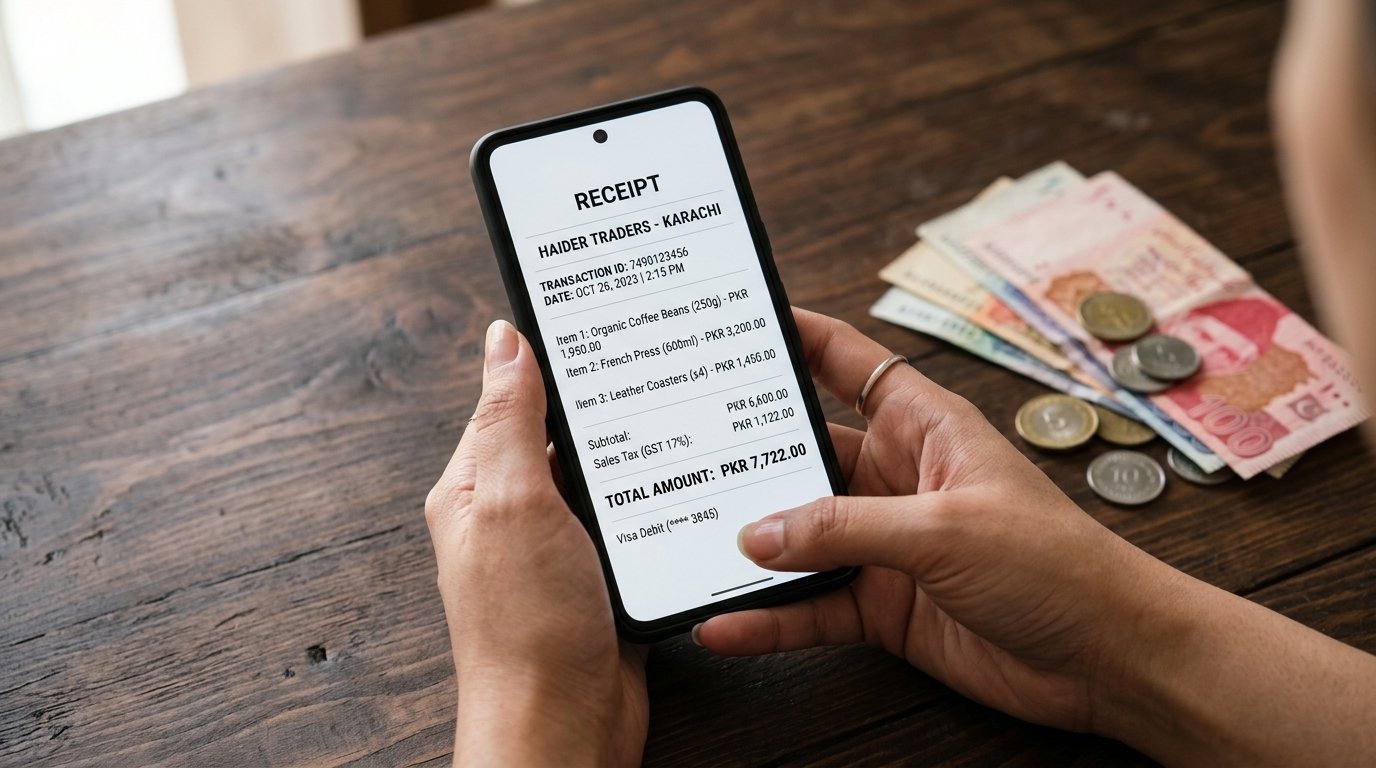
Try Receipt Generator Free
Generate payment receipts for customers with your business details.
Open Receipt Generator →